Midjourney Ai

Lesson 5

05. Midjourney Niji 7 Anime Creation Guide

Complete Niji 7 anime model primer: --niji 7 usage, settings switch, prompt techniques, sref style reference, and five core upgrade highlights.

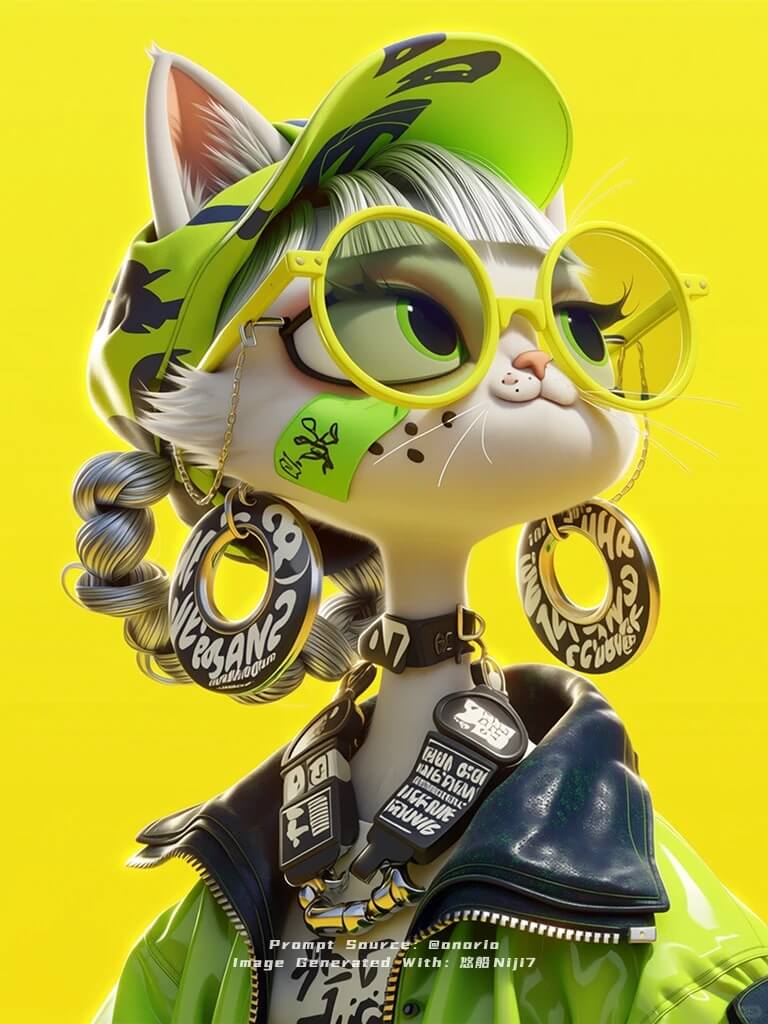
Midjourney Niji 7 anime-style character creation example

Niji V7 is a major upgrade built specifically for anime creation. It systematically improves prompt understanding, visual coherence, line quality, and negative-space aesthetics—so characters and scenes stay clearer, more stable, and more controllable in complex compositions, giving anime creators and enthusiasts a professional-grade AI art experience.

This lesson walks you through enabling Niji 7 from scratch and integrating it into your everyday anime image workflow.

What Is Niji 7?

Niji is Midjourney’s anime-focused model branch, co-trained with Spellbrush. Unlike the general V-series models, it excels at:

  • Anime characters and scenes
  • Clean linework with cel-shading / flat-color aesthetics
  • High-saturation, strongly stylized anime visual language

Niji 7 further strengthens two capabilities: “understanding what you mean” and “not falling apart in busy scenes.” It’s ideal for character design, storyboard sketches, finished illustrations, and serialized IP work.

How to Enable Niji 7

Method 1: Add a parameter at the end of your prompt

In /imagine or the Web UI input box, append at the end of your prompt:

--niji 7

Example:

A silver-haired girl under cherry blossoms, Japanese-style school uniform, soft side light, anime illustration --ar 2:3 --niji 7

Method 2: Switch version in Settings

  1. Type /settings in Discord, or open Settings on the Web
  2. Find Version / Model
  3. Set the Niji version to Niji 7
  4. Generated images will use Niji 7 by default—no need to add the parameter every time

Tip: If you need both general photoreal models and Niji, use --niji 7 on demand rather than changing the default, so you don’t forget to switch back to V.

Core Highlights Explained

1️⃣ Better Prompt Understanding

Niji 7 responds more accurately to specific, layered descriptions—hairstyle, outfit accessories, expression, props, and other details are more likely to land in one shot.

Writing tips:

  • Subject first, then clothing and accessories, then lighting and background
  • Use short parallel phrases; avoid long nested clauses
  • Repeat key feature words when you need fixed elements (e.g. “silver round glasses,” “fluorescent green jacket”)

2️⃣ Improved Visual Coherence

With multiple characters, many props, or complex layouts, Niji 7 keeps overall structure more stable—details are less likely to blur together.

Good for:

  • Two or more characters in frame
  • Character + many small items (badges, earrings, patterns)
  • Illustrations with clear foreground/background separation

3️⃣ Stronger Anime Line Aesthetics

Lines express structure, texture, and light more clearly—closer to professional anime linework + color than generic “AI mush.”

Pair with --stylize to tune how artistic the look feels; for anime, moderate stylize (e.g. 100–250) is common—too high may drift from your description.

4️⃣ Minimalism and Negative Space

Even in low-detail, sparse compositions, Niji 7 stays clean; the default feel is more flat and airy, great for:

  • Avatars / character standees
  • Poster key visuals
  • Designs with large solid-color or simplified backgrounds

5️⃣ Style Reference System Updates

  • Full --sref (style reference) support: upload a reference to lock palette, brushwork, and overall art direction
  • --cref (character reference) not supported yet: don’t force V-series character-consistency params on Niji 7; official alternatives are coming

Current workflow: use --sref + repeated character traits in text instead of cref for series work; keep --ar and core description words consistent across a set.

ScenarioExample parameters
Vertical character standee--ar 2:3 --niji 7 --stylize 150
Horizontal scene illustration--ar 16:9 --niji 7 --stylize 120
Designer toy / 3D cartoon look--ar 3:4 --niji 7 --stylize 100
Lock art styleAdd --sref [image URL] --sw 100 to the above

Niji 7 vs General V-Series?

NeedRecommended model
Anime, illustration, 2D IPNiji 7
Photoreal, photography, product, concept designV8 / V7 general models
Same project needs bothSwitch per task; don’t mix parameters

Practice

  1. Generate a single-character standee with --niji 7 (specify hair, outfit, background color)
  2. Switch to Niji 7 in Settings, then generate a two-character scene and note stability in complex layouts
  3. Pick a favorite result as --sref and make 2 same-style variants to feel Niji 7’s style reference

Further Reading


Every generation of models has its own path. Niji 7 took an especially long and difficult journey—but it was absolutely worth it. We sincerely hope you enjoy it.