Midjourney 角色一致性的五种进阶用法
· 8 分钟阅读
按模型选择角色一致性流程:理解 V6 CREF、V7 Omni Reference 与 V8.X Edit Model 的区别,并学习参考图与文本锚定。
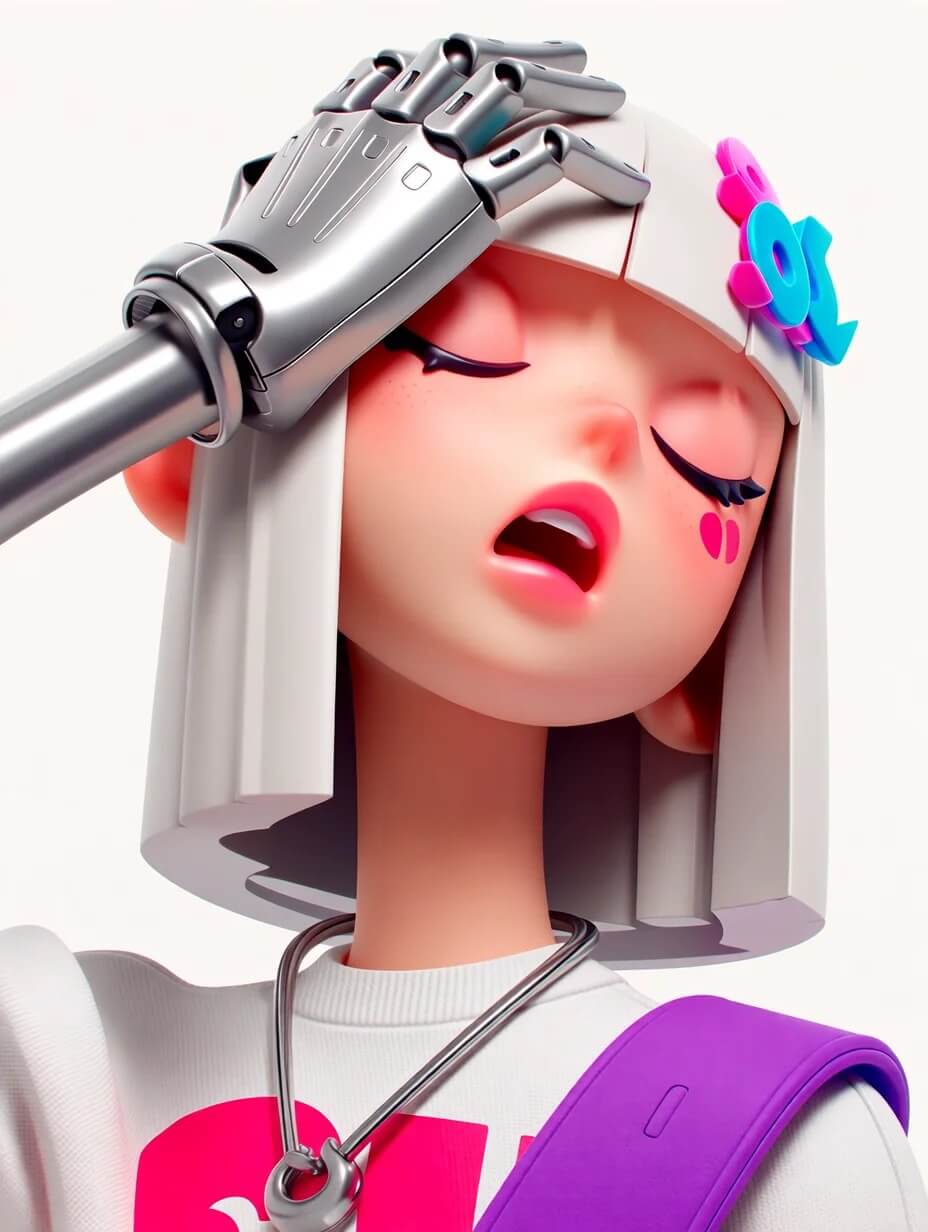
在游戏原画、漫画连载与 IP 延展中,同一角色在多张图里「还是同一个人」 往往比单张精美更重要。
先选模型,再选角色参考工具
本文解释参考工具与工作流选择;需要逐步练习,请阅读角色一致性教程。
| 模型 | 参考工具 | 阅读方式 |
|---|---|---|
| V6 / Niji 6 | Character Reference:--cref、--cw | 下文保留旧版示例 |
| V7 | Omni Reference:--oref、--ow | 不直接套用于 V8.X |
| V8.X | Edit Model | 按参考图与编辑流程操作 |
官方参数列表与Omni Reference 文档说明 V8.X 使用 Edit Model 替代 Omni Reference。2026-08-27 公告介绍了最多 4 张参考图和指令编辑。参考工具帮助保持角色特征,但不能保证每个细节完全一致;下文的旧版参数仅适用于对应模型。
官方产品能力与本站独立应用的可用功能须分别确认。应用支持哪些模型、参考图和编辑工具,以应用界面为准。
用法一:V6 的 --cref + --cw
适用: 在 V6 / Niji 6 上实现接近「同一张脸」的硬一致。
- 准备单角色、正面或 3/4 侧、光线均匀的锚点图 URL(建议 Midjourney 自生成角色,真人照片易失真)。
- Prompt 末尾:
--cref [URL] --cw 85 --v 6(保脸常用 80–100;只保脸换服装可试--cw 0)。 - 必须配合完整文本 Prompt,不能只贴图不写词。
- 可与
--sref组合:cref 管人,sref 管画。
editorial portrait, same character, standing on rooftop at sunset, wind in hair --cref [URL] --cw 90 --sref [styleURL] --sw 50 --ar 3:4 --v 6
--cw | 效果 |
|---|---|
| 100 | 脸、发型、服装尽量贴近参考 |
| 0 | 主要锁定面部,便于换装 |
技巧: 雀斑、Logo、精确服装纹样无法 100% 复制;一张清晰的锚点图通常足够。
用法二:V7 的 Omni Reference --oref + --ow
适用: 在 V7 上把人物/物体形态带入新场景。
- 参数:
--oref [URL],权重--ow(1–1000,默认 100;一般建议低于 400)。 - 需配合文本 Prompt;可与 Style Reference、Image Prompt 并用。
- Omni Reference 约 2× GPU;与 Vary Region、Pan、Zoom Out、Fast Mode 等不兼容。精修请进 Editor 并移除
--oref/--ow。
illustration of the same girl, reading book in cozy cafe, warm lamp light, storybook style --oref [URL] --ow 120 --ar 4:5 --v 7
用法三:文本锚定 + /describe 反推
适用: 仅靠参考图仍漂移时,用文本强化身份。
- 生成一张满意的「定妆照」,保存为系列基准。
- 对该图使用
/describe,得到较长、较细的英文 Prompt,作为角色「文本 DNA」。 - 之后每张图复用同一段身份描述(发型、瞳色、肤色、标志配饰),只改动作、镜头与场景。
- 可用多提示词权重(如
silver bob hair::2)强化不变特征。
young woman, silver bob hair, cyan plastic hair clip, pale skin, silver chain necklace, white sweatshirt ::2, walking in rainy Shibuya crossing at night, cinematic 35mm --cref [URL] --cw 85 --ar 3:4 --v 6
技巧: 每张 Prompt 最前面写清不变特征。
用法四:图像提示 + --iw 配合 cref 或 oref
适用: 在锁脸的同时,用参考图驱动构图与姿态。
- 上传定妆照,设为 Image Prompt(不是 Style Reference)。
- Prompt 中写清希望保留什么、希望改变什么。
- 从较低
--iw试起,逐步提高。 - V6 搭配
--cref,V7 搭配--oref,加强面部一致。
same character as image prompt, new outfit black blazer, sitting by window, overcast soft light --cref [URL] --cw 80 --iw 0.5 --ar 4:5 --v 6
用法五:系列化产出(Moodboards + --sref + 固定画幅)
适用: 条漫分镜、品牌 KV、表情包等长线系列。
- 固定
--ar(如全套--ar 3:4)。 - Moodboards /
--sref+--sw: 统一色调、线条与材质。 - 固定文本身份块 + 可变场景块,做成模板。
- 后期: 不满意则在 Editor 局部修。
[角色固定描述块], panel 3, medium shot, running in cherry blossom street, consistent character design --cref [URL] --cw 85 --sref [moodboardURL] --sw 80 --ar 16:9 --v 6
实用技巧
- 锚点图质量: 模糊、大侧脸、遮挡严重 → 结果不稳定。
- 文字与参考冲突: Prompt 写红发、参考图金发 → 结果撕裂;以锚点与定妆为准统一文案。
- Midjourney 生成锚点: cref 与 oref 最适合 Midjourney 生成角色,真人易变形。
--sref作用范围: 只能锁画风——锁脸需搭配--cref或--oref。
一条龙工作流
- 定妆照就绪 → 锚点 URL
/describe得到固定身份文本块- V6:
--cref+--cw 80–90+--v 6,或 V7:--oref+--ow 100–200+--v 7 - 系列:固定
--ar+ Moodboards /--sref - Editor 局部微调